Swap Every Face in STORM II Music Video
No camera crew, no cast — just two photos and a prompt
Hey, it's Donna! 💛 Ever wanted to put yourself (or anyone) into the STORM II music video without actually filming it? This guide shows you how to do exactly that with Higgsfield's Genjutsu model — it handles busy, multi-person scenes way more reliably than older character-swap tools.
⚡
Model: Higgsfield Genjutsu (Multi-character replacement)
Demo Video
Reference Video & Download
STORM II Music Video Character Replacement (720p HD)
Center character replaced with Donna; surrounding cast replaced with the secondary character.
Concept
What are we creating?
A video where the center person in a group gets replaced with you, and everyone around them gets replaced with a second character you choose — all while the original motion, camera, lighting, and background stay untouched.
Visual Inputs
📌 Reference Photos
image_1
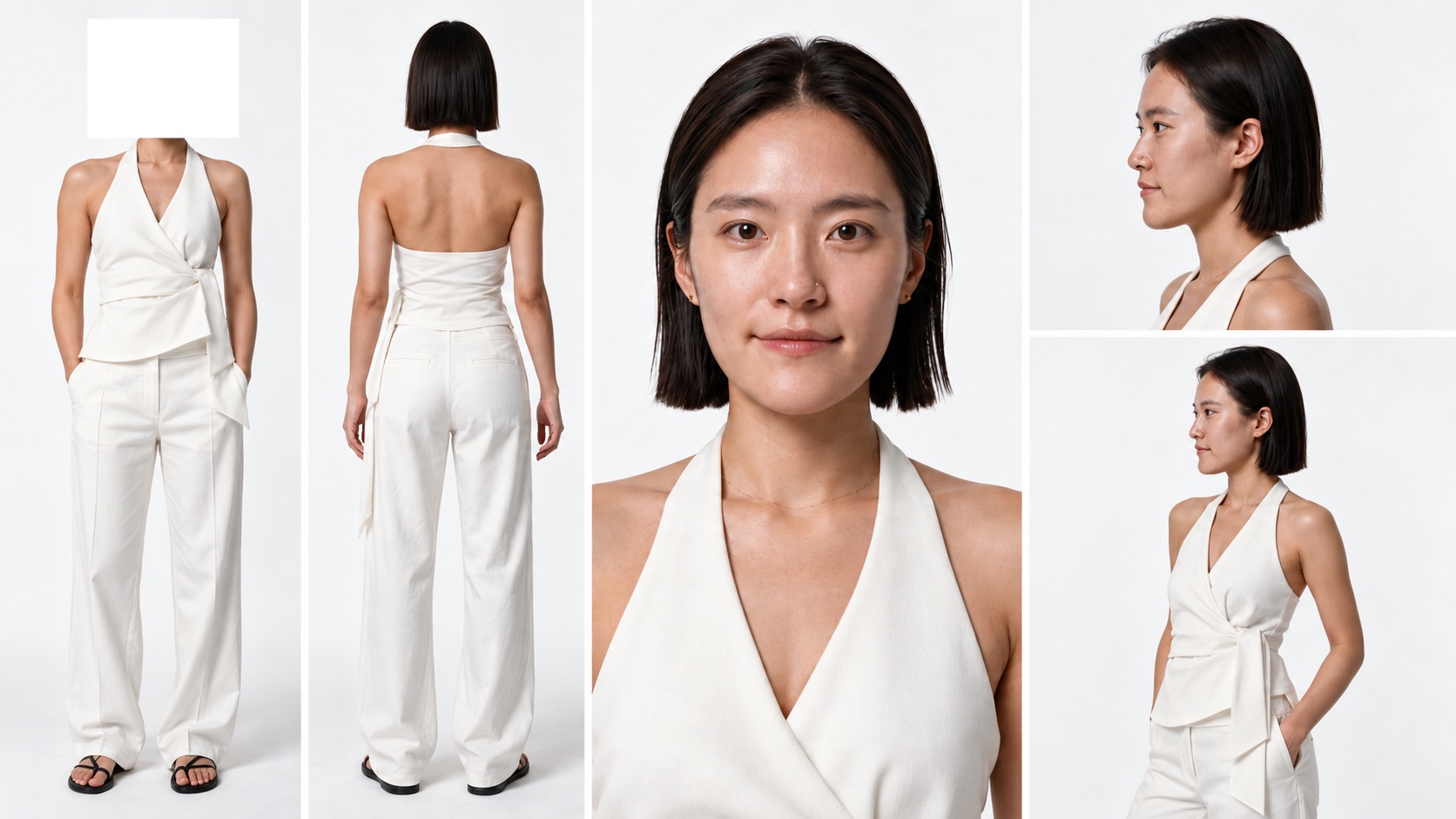
Center Character (Your Photo)
Who takes over the center spot. Maintains facial features, hair, and wardrobe in every frame.
image_2
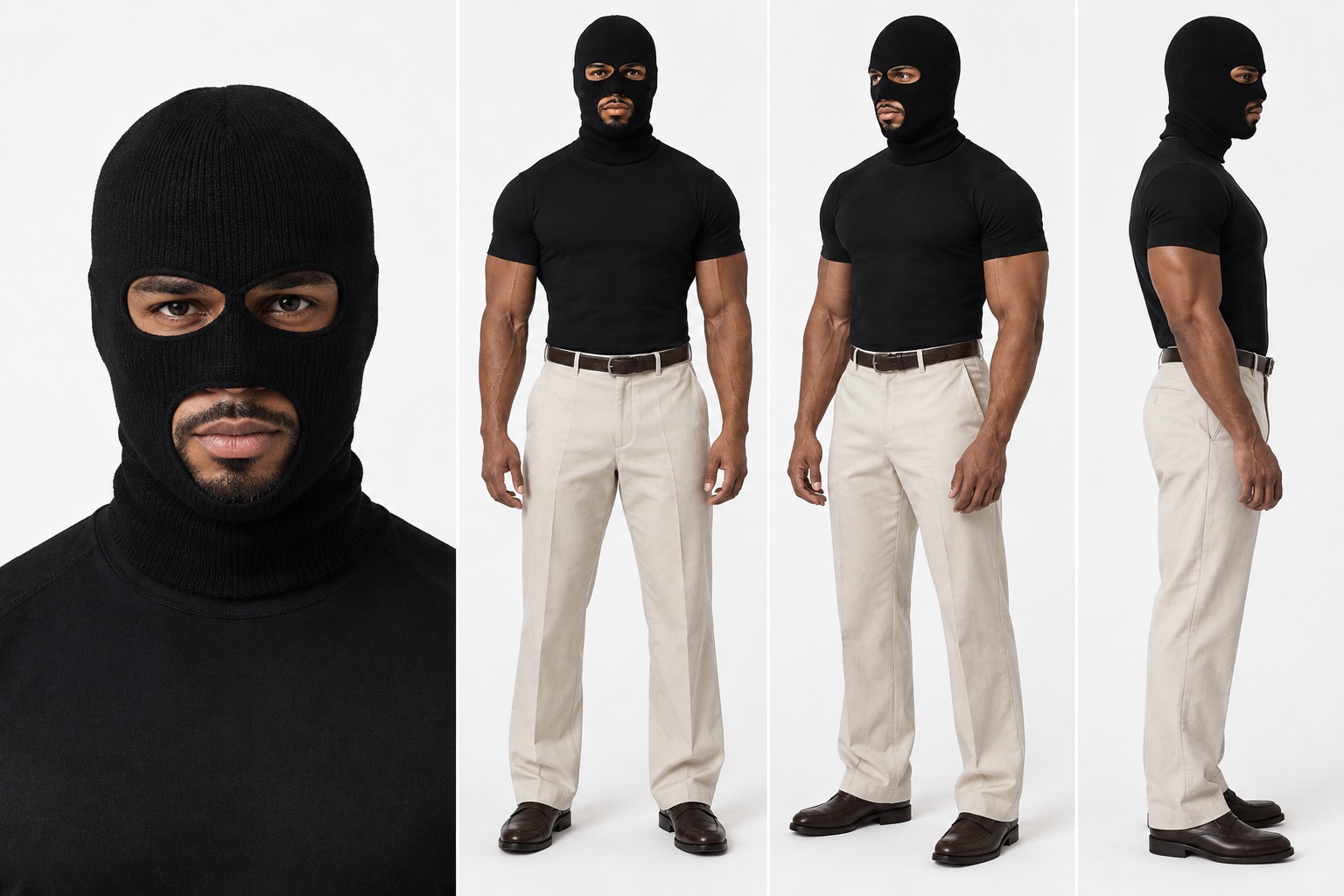
Surrounding Cast Reference
Who everyone around the center person becomes, duplicated across all surrounding positions.
Execution
🪜 Simple 3-Step Flow
Pick your two photos
• image_1: who takes over the center spot (your photo)
• image_2: who everyone around them becomes
• image_2: who everyone around them becomes
Upload your reference video
Any group video works, as long as it has one clear main character in the center with people around them.
Drop in the prompt and wait it out
Paste the prompt below into Higgsfield Genjutsu.
image_1 and image_2 map automatically without manual tag edits.
Ready to Paste
🎬 The Genjutsu Prompt
CHARACTER REPLACEMENT TASK

1. CENTER CHARACTER: Replace ONLY the single main character standing in the exact center of the group with the character from @[Image 1](image_1). The center position, body placement, scale, pose, movement, and screen position must remain consistent with the original video.

2. SURROUNDING CHARACTERS: Replace EVERY OTHER PERSON surrounding the center character with the character from @[Image 2](image_2). This includes ALL visible people around the center character: front row, left and right sides, middle rows, and background. Do NOT leave any of the original surrounding people unchanged. Every surrounding person becomes the same @[Image 2](image_2) character, repeated as identical copies.

3. IDENTITY LOCK: Keep each replacement character's face, hairstyle, skin tone, body proportions, outfit, and color palette exactly as shown in the reference images, in every single frame. No morphing, no identity drift, no blending between image_1 and image_2.

4. MOTION AND TIMING: Preserve the original choreography frame by frame. Each replaced character follows the exact same body movement, limb motion, head turn, facing direction, walking speed, and timing as the original person they replace. Do not add, remove, or re-time any motion.

5. CAMERA AND FRAMING: Keep the original camera angle, camera movement, focal length, depth of field, and shot duration unchanged. Do not re-frame, crop, zoom, or stabilize.

6. ENVIRONMENT: Keep the background, set, props, floor, and all non-human elements 100% identical to the original video. Only the people are replaced.

7. LIGHTING INTEGRATION: Match the original lighting direction, intensity, color temperature, shadows, and reflections onto the new characters. Contact shadows and ground contact must stay physically correct, so the characters look natively filmed in the scene, not pasted on.

8. SCALE AND DEPTH: Respect the original perspective. Characters further from camera stay smaller, and the occlusion order stays the same. Nobody floats, overlaps incorrectly, or changes height relative to the original person.

9. TATTOO REMOVAL: Remove any tattoos visible on the replacement characters. Skin should appear clean and tattoo-free in every frame, with no partial or faded tattoo marks left behind.

AVOID: extra people added, people removed, duplicated or missing limbs, warped faces, flickering identity, style change, cartoon or filter look, watermark, text overlay, background alteration, slow motion or speed ramp.

OUTPUT: same resolution, same aspect ratio, same frame rate, same length as the source.
Practical Tips
💡 Before You Try It
-
•Pricing & quota: One free run, then it requires a paid tier.
-
•Processing time: Runs can take tens of minutes — start it and step away.
-
•Handling complex scenes: Genjutsu is much stronger than older models, but occasional misses happen.
-
•Photo quality: Use front-facing, sharp, evenly lit photos. Clean backgrounds make subject isolation cleaner.
-
•Prompt importance: The prompt locks identity and motion. Omitting constraints causes face drift and timing shifts.
Daily Creative Drops ⚡
Keep Creating With Me 🤍
If you use one of these prompts, tag @aiwithdonna so I can see what you create.
I share the AI content I make — cinematic shorts, viral breakdowns, and everything in between — plus the prompts and process behind them.
More guides coming soon!